
AI Concierge Across a Hotel Group — 3 Properties, 3 Channels, 4 Languages, 91.7% Handled by the Bot, Improved From Real Chats Every Day
An AI concierge live at three properties of a Thai hotel group, on Facebook Messenger, LINE and the website, in four languages. 370 leads from the first property, 91.7% of conversations handled without the bot passing them to staff, the second property built in half the time of the first, and a daily loop that reads yesterday's real chats and fixes what went wrong.
All Case Studies
Auto Financial OpsAutomated Expense Entry into PEAK — 12 of 12 Bill Types Read Correctly, 45 of 48 Real Documents Passed
AI ChatbotOne Owner, 50 Chats a Day — a LINE AI Bot That Took 90% of Them Across 3,260 SKUs
Auto Financial OpsSix Legal Entities, One Message, Every Morning at 07:00 — Multi-Property Hospitality Group
Auto Financial Ops873 Students Off a 900-Parent Group Chat — and 293 Families Found Sitting Under a Silent Do-Not-Chase Flag
Auto Financial OpsA 3-Branch Clinic Now Checks Every Receipt, Every Day — and Matches 99.4% of Gateway Receipts to the Money That Actually Arrived
AI ChatbotLINE AI File Memory — 30-Second Searches Cut to Under One Second, Delivered 23 Days Early
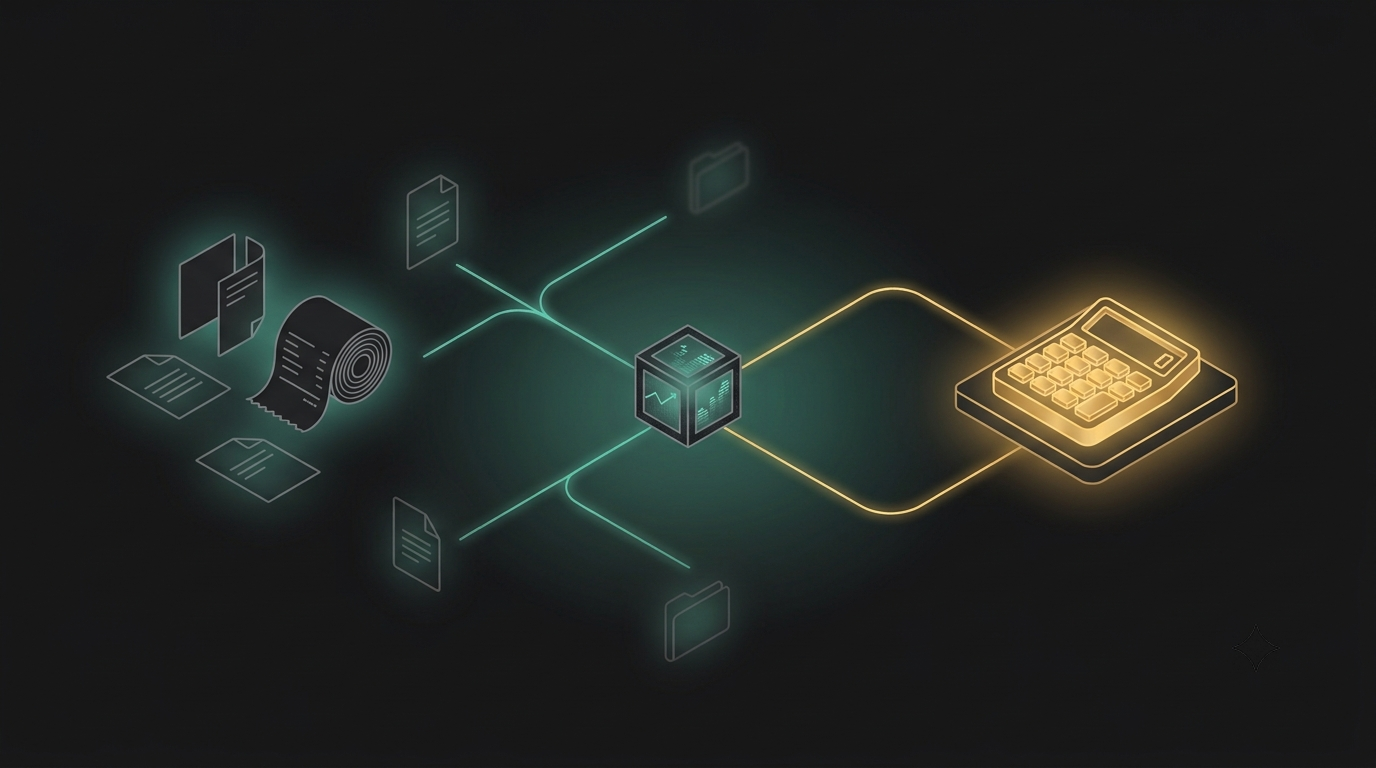
Automated Expense Entry into PEAK — 12 of 12 Bill Types Read Correctly, 45 of 48 Real Documents Passed
Full Case Study
The Client
An online retailer selling imported supplements through five marketplace storefronts across two platforms, buying stock from overseas vendors in USD, and running PEAK Account as its bookkeeping system. The accounting file holds 1,339 products and 178 trading partners.
Bills arrive from every direction — marketplace fees, freight, internet, contract labour, convenience-store receipts, and import invoices carrying several line items in one document, denominated in dollars.
All of it was being keyed into the accounting system by hand, one bill at a time, every day.
The Challenge: One Miscategorised Bill Means a Wrong Tax Filing
The difficulty of this job was never the volume. It was the number of tax rules that all have to be right at once, inside a single bill.
| Situation | What has to be right |
|---|---|
| VAT included in the price | Extract the VAT so it reconciles with the total on the bill |
| VAT shown separately | Add it correctly |
| A tax invoice carrying a personal discount | Post at the tax value, not the amount actually paid — the difference is left outstanding |
| A bill with no VAT (freight, fees) | Pay the full document value, and never invent a "personal discount" that does not exist |
| A service or labour bill | Withhold 3%, so the amount actually paid is total minus WHT |
| Marketplace fees | Never key WHT twice — the platform already withholds and remits it |
| A credit note | Must not be keyed as an ordinary expense, or the total goes up instead of down |
All seven cases have to be told apart correctly at the moment the bill is read.
Alongside that:
- •Import bills in dollars have to be converted the way the accountant already does it by hand: the Bank of Thailand selling rate for the day before the document date, to 4 decimal places. Any other rate and the numbers stop matching earlier periods. Rounding differences then have to land in the right account rather than being left to not add up.
- •1,339 products have to be matched exactly. Supplier bills write product names differently from the way they are recorded in the accounting system, and most import bills show a product name only, with no code anywhere on the bill. Match the wrong one and the cost lands on the wrong product.
- •No easy way to trace a keyed entry back to its original document.
What it costs to leave alone
The time lost to keying is survivable. A bill keyed under the wrong tax category does not show itself until filing season — and by then, going back to fix them one by one costs more than keying the whole lot again.
Why an Added Layer, Not a New Accounting System
The client arrived knowing exactly what they wanted: a system that keys bills into the accounting package they already use, not a new accounting package.
- •The chart of accounts and all the history already live in the existing program — migrating means throwing that away
- •They wanted the system to propose and a person to decide — no allowing an AI to write into the ledger on its own
- •They wanted to own the system — installed on a mini PC in the office, with no monthly hosting fee
- •They wanted the original file attached to the accounting document so anything could be traced back
Before quoting, the client's actual PEAK expense-entry channel was tested directly to confirm it supported everything needed — multiple line items per document, withholding tax, foreign currency, VAT invoices, payment status, file attachments. It supported all of it, with no category hitting a platform limit.
The hardest conversation in the project: the proposal to swap the document reader
While the system was stuck during go-live, the client proposed switching to a different OCR service "so it is cheaper than the expensive model."
That was refused, with reasons checked against that provider's own documentation:
- •The service does OCR only — image to text and page structure
- •It does not extract fields and does not classify expenses — which is two of the three jobs this system has to do
- •Switching to it would still require an AI layer on top to do the rest, and it bills per page — so cost goes up, not down
- •And the starting premise was wrong: at roughly 10 documents a day the model cost is barely significant. The problem at that moment was availability, not price.
Swapping the engine mid-project is re-architecture, not a go-live fix — so it was said plainly that insisting on the change would be new, paid work, not a bug fix.
The model change that was retested in full before it was confirmed
Before final handover, the document reader was moved to a model the client already had entitlement to.
It was not moved and hoped for. The whole set was retested: 12 of 12 bill types read correctly, and tested end to end until a real document appeared in the accounting system.
Why Confirm-Before-Key, Not Auto-Post
One idea holds the whole design together: the ledger is the real thing, not a place to experiment. The AI reads, classifies, matches, calculates tax and converts currency all the way to the end — and then stops, waiting for one button.
Every bill produces a summary card to check, with a [โปรดตรวจ] — please check flag marking anything the AI is not confident about.
This followed from one fact: PEAK is the client's live production accounting system with no separate sandbox to safely make mistakes in. So every document is written as a draft first, and a human must tap confirm over a private channel before anything posts to the real ledger. The agent never writes to the live books unsupervised, no matter how confident it is — the risk is deliberately placed on "wait for approval" rather than "guess and hope it's right."
The build was staged across 3 phases, each proving a new capability against real documents before the next started: first, correct classification of real documents flowing through the private channel; second, connecting that classification to actually posting into PEAK, verified line-by-line against PEAK's own generated reference documents; third, closing the remaining risk points (credit notes, file attachments, self-hosted migration) before handover.
The journey of a single bill
| Step | Work |
|---|---|
| 1 | Photograph the bill into the chat |
| 2 | AI reads the document — totals, date, tax ID, line items |
| 3 | Classify the expense against the chart of accounts |
| 4 | Match the trading partner by tax ID or shop name |
| 5 | Match the products, then pull the product name from the database so it matches what is in the accounting system |
| 6 | Calculate tax — VAT, withholding, tax-invoice vs. non-tax-invoice |
| 7 | Convert the currency if it is a foreign bill |
| 8 | Present it to a person, and wait for the "confirm and key" button |
| 9 | Create the document in the accounting system and attach the original file |
| 10 | Back up to Drive and log to Sheets |
Key Technical Decisions
| Problem | Decision | Why |
|---|---|---|
| Letting AI write to the ledger itself is dangerous | A "confirm and key" button before every bill, plus [โปรดตรวจ] flags | The ledger is the real thing, not a place to experiment |
| Credit notes | Detect them, report the referenced bill number, and do not key them automatically — the accountant enters them against the source document | The safest available option: not one sign-flipped line ever enters the books, and it matches what the accounting program already forces you to do |
| How to convert a foreign bill | Bank of Thailand selling rate for the day before the document date, 4 decimal places | To match what the accountant already does by hand |
| Conversion leaves the total not quite balancing | Post the difference to a rounding account, both over and under (e.g. 499.01 becomes 499.00) | The total has to be exact, not close |
| A USD bill has no baht figure to compare against | Create no rounding line at all | If there is nothing to round against, do not pretend to round |
| The AI cannot find VAT on a tax invoice | If the arithmetic proves VAT is there (total is approximately base x 1.07) the system fills it in; if it still cannot be established, raise [โปรดตรวจ] | Fill in when it can be proven, warn when it cannot |
| Marketplace fees classified as freight because of the filename | Split the account by the line type inside the bill (commission / transaction / payment fee), not by the filename | A filename is untrustworthy data |
| The platform already withheld and remitted WHT | Never key WHT twice, specifically on marketplace fees | Keying it twice means filing wrongly |
| The accounting program rejects "paid more than the document total" | Cap the payment at the document total and raise [โปรดตรวจ] to compare | Happens when the AI reads a total higher than the tax value |
| The Sheets log does not match what was actually keyed | Summary columns pull the corrected value that was actually keyed, not the raw figure the AI read | If the log does not match the ledger, it is not a log |
| Fast bursts and file-save collisions on the client's own hardware | Found and fixed by deliberately testing on the client's machine, not one document at a time on the developer's | Both only appear under real conditions |
What Was Delivered
- •Bills received through chat, with an AI reader
- •Automatic classification into the agreed chart of accounts (goods / food / consumables split between selling and administrative / freight / contract labour / travel / bookkeeping fees / internet / marketplace fees / rounding)
- •Trading-partner matching across all 178 partners, by tax ID or shop name — overridable by caption
- •Product matching against the 1,339-item catalogue — codes can be supplied in the caption separated by
+, and internal codes, barcodes and supplier codes are all recognised - •The full tax logic in the table above
- •Currency conversion at the Bank of Thailand rate, with the rate used written into the sheet
- •A confirm button before every single bill is keyed
- •Documents created in the accounting system through its API, with the original file attached (up to 5 MB attached directly, larger files attached as a link)
- •Automatic monthly tab and folder rotation — but the product and trading-partner databases do not rotate, because they are permanent data
- •A monthly accounting summary tab (pre-VAT / VAT / WHT / total / document count)
- •A history record of every bill keyed — vendor to partner to account to document number — as an audit trail, not a learning system (see the note below)
- •Automatic product-code memory: when a match is made by name and the bill carries a new code, the system writes it back to the database without overwriting the existing code
- •A separate error-alerting workflow
- •A self-install kit, a Thai user manual, and a migration manual
A note where our own documentation was corrected to match reality: the manual originally implied the system "remembers shops, so matching gets faster." That was not true — the history record is a one-way log that the system never reads back, so it does not learn vendor-to-account mappings by itself. The only genuine feedback loop is the product-code memory. The manual was corrected before handover.
The Results
| Before | After |
|---|---|
| Keying bills by hand, roughly 10 a day | Photograph into chat, check, tap confirm |
| Choosing the account for every line yourself | The system proposes, against the agreed chart |
| Opening an exchange-rate table by hand for every USD bill | The Bank of Thailand rate pulled automatically for the document date, and the rate used recorded |
| Conversion leaves the total off, and you go find it | Rounding posted for you, both over and under |
| Attaching the original file to the document by hand | Attached automatically |
| No backup outside the accounting program | Backed up to Drive and Sheets on every bill, with a monthly summary tab |
1. All 12 of 12 bill types read correctly, producing real documents in the accounting system
The bills this business sees vary enormously — from full tax invoices to convenience-store slips to foreign invoices. Testing after the document-reader model was changed found all 12 of 12 types read correctly, and tested end to end until a real document existed in the accounting program.
That means what was delivered is not a demonstration. It is a system that touches the real ledger correctly.
2. A 48-file sweep of real documents: 45 passed, zero errors — and 4 more defects fixed after handover
Before closing, the system was swept with all 48 of the client's real documents (57 runs including repeats), not sample files. That sweep found four real defects that single-document testing had never surfaced:
| Fixed | Symptom |
|---|---|
| Product bills from a marketplace | Posted to the fee account instead of the goods account |
| Consumables bills from a marketplace | Bubble wrap, light bulbs and tape posted to goods instead of consumables |
| Convenience-store receipts | Posted to goods instead of food |
| An internet bill on a newly-rolled month tab | The system halted with Unexpected token ',' — the code was corrupted at month rollover |
After the fixes: 45 of 48 passed, 0 errors, 2 failures. Neither remaining case was a system bug — one was a scan too poor to read the vendor name (workaround: type the account code in the caption), the other was waiting on the client to confirm an account code.
The limits were stated on the day of handover, with a workaround for each, rather than left to be discovered.
3. Product matching measured against the real 1,339-item catalogue: 90.4%
Product matching is where a system like this fails most quietly.
| Match result | Count |
|---|---|
| Matched by code | 993 |
| Matched by name | 55 |
| No match at all | 111 |
The unmatched portion was reported back by name rather than left to be guessed at. This figure replaced an earlier estimate that was too low, because it was measured across the entire real set rather than a sample — and an import bill carrying 5 line items with no product codes at all was matched on all 5 by name.
Also verified end-to-end: a real foreign-currency bill from an overseas vendor, with correct exchange-rate conversion, correct posting into PEAK, and confirmed fully paid.
Behind Go-Live: Two Silent Days, and a Root Cause Nobody Guessed
The client chose to install on their own machine, which meant nothing could be fixed for them directly — only talked through. It did not go smoothly.
Obstacle 1 — permissions, not configuration. The system threw Forbidden while loading the trading-partner database. It looked like a misconfiguration; the real cause was that the client's Google account had no access to the database file. Fixed by sharing access, not by editing a node.
Obstacle 2 — "I sent a file and nothing happened." The client had run Execute successfully, but real bills went nowhere, because Execute is a manual test. The system only listens for real messages once it is Published.
Obstacle 3 — the order of the cutover. Moving from the old machine to the client's own, shutting down the old instance also deletes the chat webhook. So the client had to Publish last, to make their machine the final registrant.
Obstacle 4 — the reader node failing, and a guess that was wrong. The initial guess was a bad key or an API not enabled. That guess was wrong. The real error code was 503, which means the request did reach the provider — the key, the permissions and the client's configuration had all been correct from the start. The problem was the model provider being overloaded during the day.
Obstacle 5 — the fix ran into a problem of its own. Upgrading to a paid tier to avoid the queue, the payment system threw an error that turned out on inspection to be a browser/cookie problem, not a declined card.
Obstacle 6 — a new symptom pointing the other way. With payment sorted, a bill was sent and met total silence: no execution log at all, and the balance not decreasing. Those three facts together mean the bill never entered the system. The problem was the webhook, not the reader node — so the client was told plainly to stop hunting at the key.
The real cause: the client had enabled billing on a different key from the one the system was using. The key the system used was still the free one — which works at night and fails during the day. Swapping in the paid key, a daytime test bill keyed successfully on the spot.
Closing evidence, not assurances: two rows in the live sheet, at 21:31:45 and 21:53:57, each carrying a real document number from the accounting program. The blank rows with no document number earlier that evening are the traces of the free-key attempts during peak hours.
There was one more wrong guess along the way, caught and recorded rather than deleted: the PDF format was suspected, although PDF had worked fine since the first installment.
Staying Transparent About What Came Up After Go-Live
During the free 30-day warranty period, running on the client's own computer and network (instead of infrastructure the developer monitors directly) surfaced a few issues that hadn't shown up in earlier testing: brief connection drops when the network hiccuped, some low-quality scanned documents that were harder to read, and a handful of uncommon tax edge cases (like certain shipping fees that don't require withholding). All of it was fixed and re-verified against real documents during the warranty window. The confirm-before-key step meant none of these issues ever reached the real books unsupervised — no incorrect entry was ever posted without a human approving it first.
The scope that was withdrawn, and not billed
After handover the client commissioned a follow-on stock-deduction system. It was built and tested — until testing found that the accounting program's API replied "success" without actually doing anything. Stock did not move, even after the document had been approved.
That scope was withdrawn and not a single baht was charged for it, with the test evidence sent to the client.
Lessons Learned
- •With no sandbox to safely fail in, everything defaults to draft status first. PEAK is a fully live system, so the answer wasn't "write more careful code" — it was to make every entry a draft requiring human confirmation, with no shortcut that lets the system post to the real ledger unsupervised, no matter how confident it is.
- •A cheaper tool the client wants to switch to still has to prove it can do the job. One proposal was refused on the evidence of the provider's own documentation — OCR only, no field extraction, no classification, billed per page. Another switch, late in the project, was tested against the vendor directly and found unable to read images at all; an alternative that could read images could not read PDFs natively. The model actually kept handled both and passed a 12/12 real-document test before it was approved.
- •Running on the client's own computer surfaces problems a developer's own test machine never will. A file-save race condition that occasionally produced an empty file, and rate-limiting when documents were sent in a fast burst, only appeared once the system moved to the client's hardware. Both are the kind of edge case that has to be tested for deliberately before go-live, not discovered by the client during the warranty period.
- •Three symptoms together are worth more than one symptom read loudly. No execution log, total silence, and an unchanged balance meant the bill never entered the system — which redirected the whole investigation away from the reader node and onto the webhook.
- •A free tier that works at night and fails in the afternoon looks exactly like a broken system. Enabling billing on one key does not upgrade a different key. Check which credential the running system actually holds.
- •The line between "already in scope" and "needs a change order" has to be clear from day one. The real document set turned out to have more than 12 distinct patterns, not the simpler category count assumed at quoting time. Documents that shared the same tax logic and just posted to a different account stayed in scope; documents needing genuinely new tax logic (like the no-double-withholding rule) counted as added scope.
- •An accuracy number only means something when it's measured against the client's own real documents. The 93.75% figure came from repeated testing against real documents the client provided directly, and the 90.4% match rate came from the entire 1,339-item catalogue rather than a sample — which is precisely why it replaced a lower estimate.
- •Correct your own documentation when it flatters the system. The manual claimed the system learned vendors over time. It did not. That was fixed before handover rather than left to sound good.
Project Information
More Like This
AI ChatbotAI Concierge Across a Hotel Group — 3 Properties, 3 Channels, 4 Languages, 91.7% Handled by the Bot, Improved From Real Chats Every Day
96% MatchAn AI concierge live at three properties of a Thai hotel group, on Facebook Messenger, LINE and the website, in four languages. 370 leads from the first property, 91.7% of conversations handled without the bot passing them to staff, the second property built in half the time of the first, and a daily loop that reads yesterday's real chats and fixes what went wrong.
 AI Chatbot
A Beauty Clinic AI Assistant Got an Answer Wrong — Stopped in 4 Minutes, Then Traced to Why Using 345 Real Staff Replies
96% MatchAn AI sales assistant on Facebook Messenger for a single-branch beauty and weight-loss clinic, with medical-safety gates before and after the AI, PDPA consent, staff alerts on LINE and a kill switch. Three weeks after launch it told a real customer something that broke clinic policy. The owner stopped it within 4 minutes. What followed: closing a hole in the kill switch, a refund gate, and using 345 real staff replies to find that the bot's data — not its prompt — was the problem.
 AI Chatbot
Five Months After Handover — 96.5% Handled Without a Human, Worth 2.4 Times Its Upkeep, and Leads Recovered from 6 to 23
96% MatchA LINE AI assistant for an occupational safety training institute, built in 7 days and then measured for five months. It handles 96.5% of its conversations without a human and returns 2.4 times what its upkeep costs — and the maintenance habit behind those numbers found 15 of 16 leads quietly going missing, staff alerts dying halfway through every month, and a customer who sent 15 messages without a reply. None of it ever raised an error.